Assets
Assets is one normalized table for every truck, trailer, and piece of equipment you work with: your in-house fleet plus external assets owned by partner companies. It lives at /assets under Resources.
Part of the Resources area. For the workflow, see Manage your fleet, team, and partners.
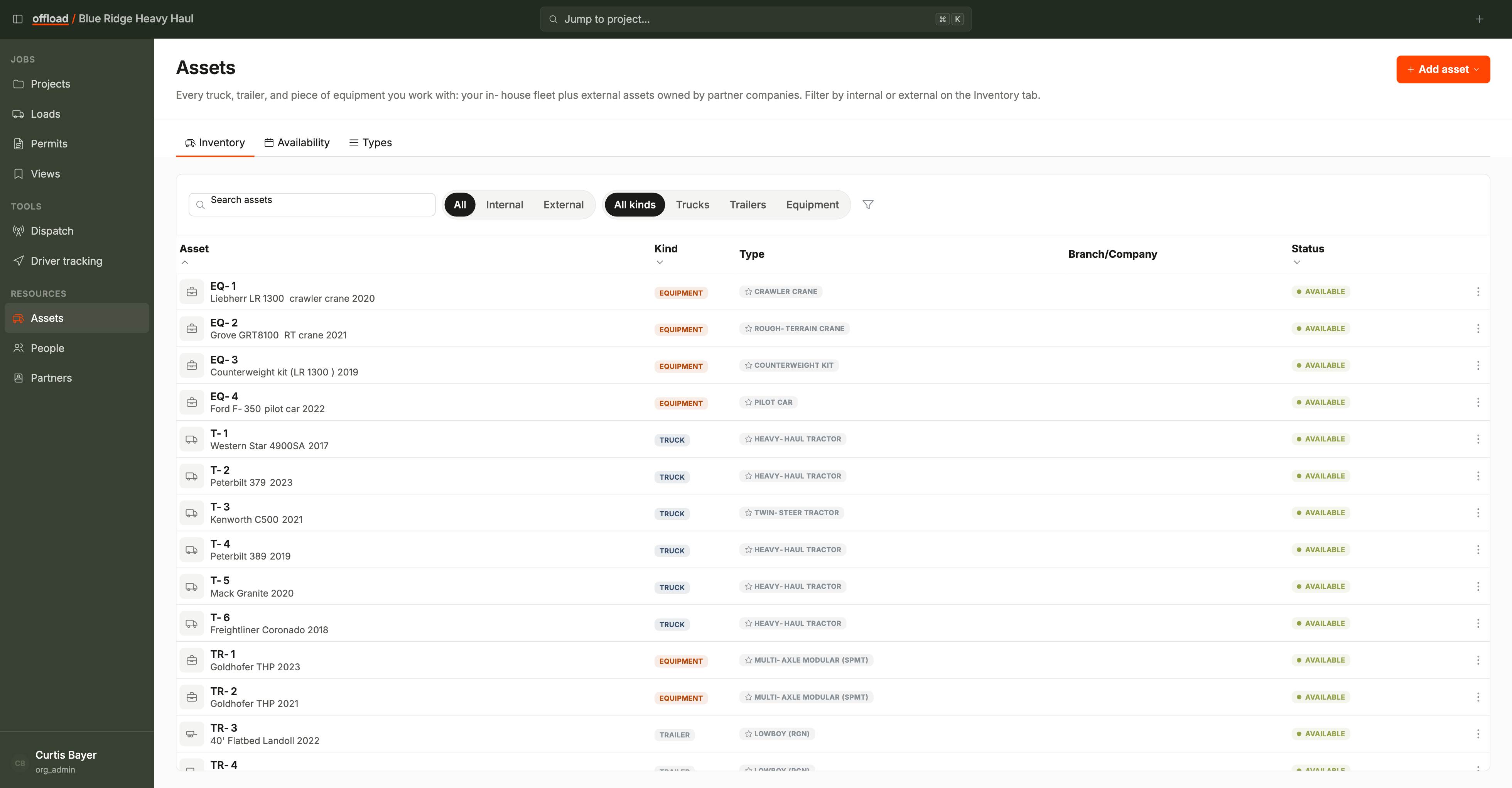
Tabs
- Inventory - the table of every asset.
- Availability - the day-by-day grid (see Resources overview).
- Types - the resource types your organization defines for assets. Read-only here; manage them in Settings.
The inventory table
- Columns: Asset (unit number and description), Kind, Type, Branch/Company, and Status.
- Filter chips above the table:
- Ownership - All / Internal / External (defaults to All).
- Kind - All kinds / Trucks / Trailers / Equipment.
- The collapsible filter panel adds Branch/Company, Type, and Status filters.
- Search finds assets by unit number or name.
Adding and editing
- Add asset is a split button: choose Truck, Trailer, or Equipment.
- Each asset's edit form includes an ownership row: mark it in-house (your company or a branch) or external (pick the partner company that owns it).
- Edit an asset from the row menu at the end of its row.
There is no delete on the inventory. When an asset leaves the fleet, set its status instead. The history it appears in stays intact.
Statuses
An asset's status shows on the inventory and drives the availability grid: Available, Dispatched, In Transit, On Site, Unavailable (for example maintenance), Inactive, and Terminated. If your organization uses site work, on-site presence adds Available (On-site) and Committed.
Terminated assets stay on the inventory but leave the availability grid.