Partners
Partners is your company directory and your sharing hub in one place: the companies you work with, your connection status with each, and the loads shared in either direction. It lives at /partners under Resources.
Part of the Resources area. For the workflow, see Manage your fleet, team, and partners.
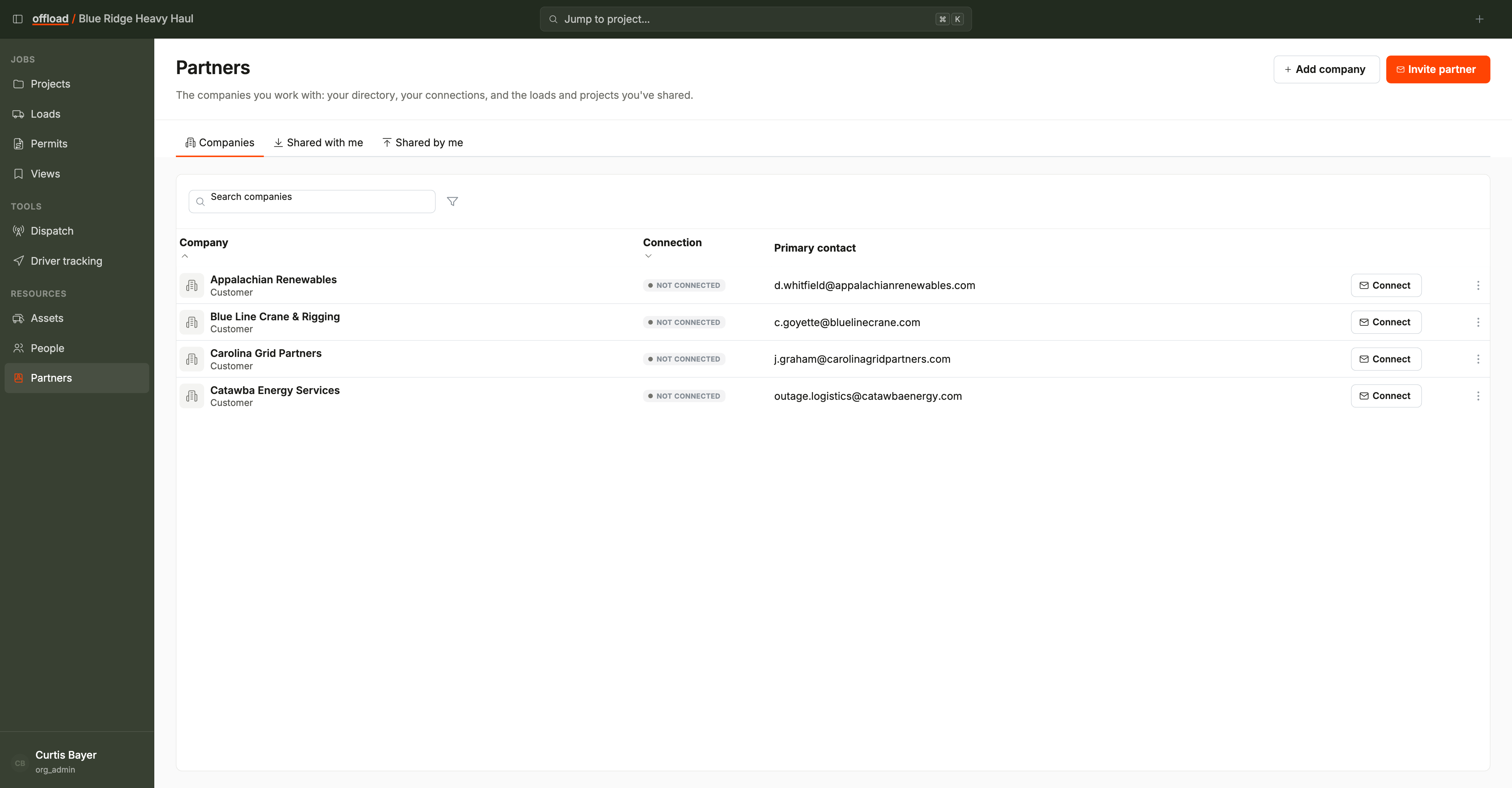
Tabs
- Companies - every external company in your directory: customers, carriers, vendors, and escorts.
- Shared with me - loads other organizations have shared with you.
- Shared by me - loads you have shared out.
The old Sharing page folded into Partners. Old /sharing links land here. Approving or declining a share now happens on the load itself, not on a separate Approvals tab.
The Companies tab
- Columns: Company (name and type), Connection, and Primary contact.
- Filter by connection state (Connected / Invited / Not connected) and by company type.
- Add company creates a directory entry, with an optional first point of contact in the same step.
- Invite partner sends a connection invitation so you can share loads with that company.
- Connect on a row invites a company already in your directory.
- The row menu carries the connection lifecycle: copy an invite link, re-send or revoke an invitation, edit a connected partner's permissions, or end the relationship.
Connections and sharing
A connection links your organization with a partner's so you can share loads. What a partner can see and do on a shared load is governed by the share's permissions; edit them any time from the row menu on Companies.
- Sharing a specific load happens from that load's access panel, or straight from a company slot on the load's dispatch tab.
- The Shared with me inbox lists what you have received; open a load to accept it and work it.
- The Shared by me list shows everything you have handed out, with status.
Companies vs people
Partners holds companies only. The individuals who work at those companies live on People, and their assets live on Assets, marked external. Open a company row to see its people in the company drawer.