Requirements & fulfillment
A phase declares what it needs; the board is where those needs get met. Crew and equipment requirements look the same when you declare them (a type and a quantity) but they are fulfilled by two different models, and knowing exactly how each one works is what makes the schedule grid readable. This page is the deep dive.
Requirements are declared on the job: see Site work and phases. Scheduling and assigning happen on the board.
Site work is still in development and available for beta testing. Your feedback is greatly appreciated.
Crew is fulfilled per day
A crew requirement like "2 riggers" means every scheduled day needs its own 2 riggers. People work days, so the unit of crew fulfillment is the day.
What that means mechanically:
- Scheduling a date creates that day's slots. Drop a phase on a date and the new card arrives with one typed crew slot per required person: "2 riggers" becomes two Rigger slots on that date. Each slot also carries a truck sub-slot.
- Assignments belong to the date. Staffing Monday does nothing for Tuesday. Every scheduled date is staffed on its own; use Copy Project Card to carry assignments across a range instead of redoing them.
- Fulfillment counts assigned versus required, per day. The phase card in the Job Details panel shows the current day's tally (0/3 crew). The schedule grid shows every day at once: each crew row's cell is assigned/required for that day, colored green when fully staffed, amber when partly, red when empty.
Equipment is fulfilled by presence
An equipment requirement like "1 crawler crane" means that unit has to be on site for the phase. Equipment doesn't clock in daily; it gets hauled in, stays, and gets hauled out. So the unit of equipment fulfillment is presence, and presence comes from loads:
- A mob load hauls the unit to the site. Its dropoff is the phase's job site.
- The unit is then on site and counts toward the requirement every day, until
- a demob load hauls it out again.
The schedule grid computes each day's on-site count as what carried over from yesterday, plus what mobilizes in, minus what demobilizes out. Only days with a shortfall are tinted; a healthy presence row is quiet.
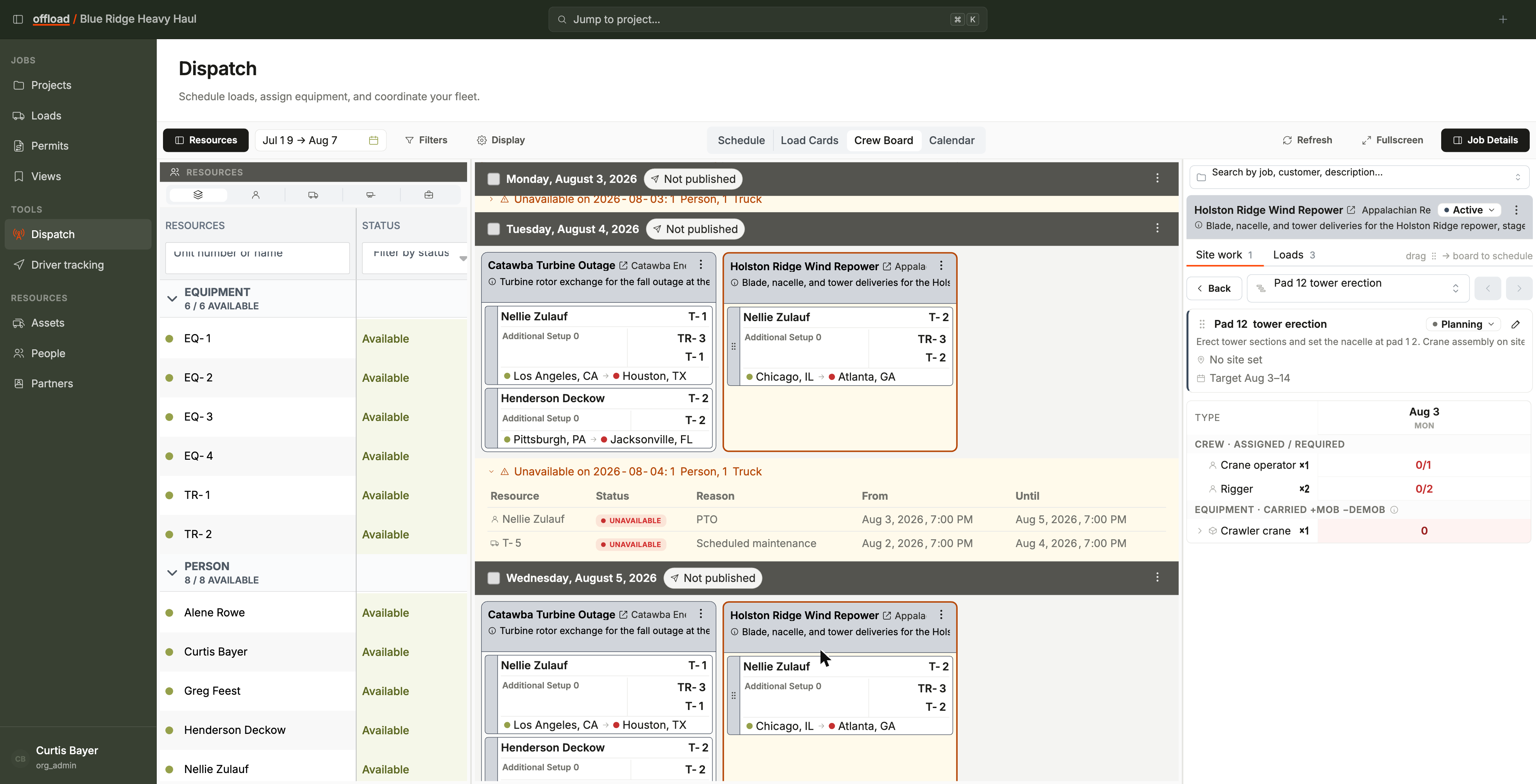
Expand an equipment row and you get the per-unit lifecycle: each unit's mob load, its on-site window, and its demob load, with actions to create the loads that don't exist yet. Mob and demob loads are regular loads: they show on the Loads list, get dispatched like anything else, and follow the phase's job site if the site changes.
The practical planning workflow for this is on Equipment planning.
Why two models
If crew worked like equipment, one Monday assignment would claim a person for the whole phase. If equipment worked like crew, you would re-assign the same crane every morning it never left the site. Each model matches how its resource actually behaves: people are day-labor, equipment is presence. When the grid confuses you, come back to that sentence.
Linked requirements: the phase is the source of truth
A date scheduled from a phase stays linked to the phase's requirements, shown by a link icon on the board card ("Crew slots are linked to the phase requirements").
Change the phase's requirements on the job (say, 2 riggers up to 3) and every linked scheduled date follows. Offload first shows you the computed impact - slots added or removed, any drivers or trucks that would be unassigned, notes that would be lost, and how many scheduled dates are affected - and applies it only after you confirm. Destructive changes get a red confirm.
While a date is linked, its structure is managed by the phase:
- The add-crew control is hidden on linked cards; the phase decides the slots.
- Dropping a person beyond the requirements asks you to confirm, then adds them as extra crew outside the requirements. Extra crew are yours: the propagation above never adds, removes, or retypes them.
Unlinking a date to customize it
Some days are just different: a weather day needs half the crew, the last day needs a teardown-only crew. Use Unlink crew requirements in the card's menu to detach that one date.
- An unlinked date is shaped freely: add or remove slots, change types.
- It stops following the phase: requirement edits on the job no longer touch it (the card's icon flips to "Crew slots are unlinked; they won't follow phase requirement changes").
- Link crew requirements in the same menu re-attaches it to the phase.
Copying a card copies its slots exactly as they are on the source date, linked or not, so a customized day can be replicated as easily as a standard one.